
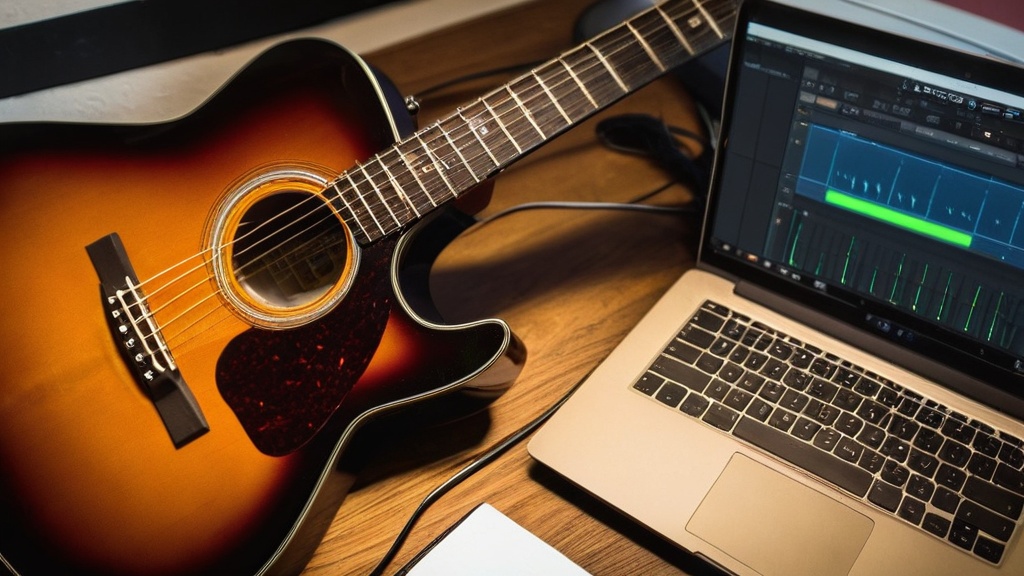

For most beginners, the best free software for recording guitar is Audacity (Windows, Mac and Linux) or GarageBand (free on Mac, iPhone and iPad). Want a full DAW with multiple tracks and plugins? Then look at Tracktion Waveform Free or BandLab’s free browser studio. Besides software, you need an audio interface and headphones. Below you will read what each program can do and how to get started.
Why free recording software is a good start
Recording guitar is a standard part of making music for amateurs and professionals alike. With advances in technology and digital audio workstations (DAWs), it is easier than ever to capture your guitar playing. But what if you do not want to invest in expensive software? Software is only one side of the story; for what a session in a professional studio involves, read playing guitar in a recording studio.
Fortunately, plenty of free options are available that let you record your guitar without emptying your bank account. This free software offers a range of features that help you turn your musical ideas into high-quality recordings. Using free software to record guitar can be a great way to develop your skills and express your creativity.
Whether you are a beginning guitarist who wants to capture your first chords or an experienced musician who wants to record your latest songs, there is a wide range of free programs that can meet your needs. In this article we explore the benefits of using free software, discuss some of the best options and give tips for getting the most out of your recordings.
Summary
- Free software for recording guitar offers an affordable and accessible way to record music
- Using free software for recording guitar lets musicians express their creativity without high costs
- The top 3 free programs for recording guitar are Audacity, GarageBand and Cakewalk by BandLab
- Getting started with recording guitar using free software requires a good audio interface and knowledge of the software’s features
- Optimize recording quality with free software by using good microphones, acoustic treatment and avoiding overload
- Free software offers options for editing and mixing recordings, such as adding effects and adjusting levels
- Common problems when using free software for recording guitar are latency, software crashes and limited functionality
- Conclusion: Audacity, GarageBand and Cakewalk by BandLab are the best free software options for recording guitar, as long as they are used properly
Benefits of using free software for recording guitar
One of the biggest benefits of using free software for recording guitar is accessibility. You do not have to spend large sums on expensive software or hardware to get started. That makes it possible for everyone to capture their musical ideas, whatever their budget.
In addition, many of these free programs are user-friendly, which makes them ideal for beginners who are not yet familiar with recording technology. Free software also often offers a wide range of features that help you improve your recordings. From effects and plugins to options for editing and mixing sound, these programs can help you achieve professional results without spending a fortune.
This allows you to experiment with different sounds and styles, which is crucial for your development as a musician.
Top 3 free software for recording guitar
There are many free software options available, but three of the most popular and user-friendly programs are Audacity, GarageBand and Cakewalk. Audacity is an open-source audio editor known for its simplicity and versatility. It offers a range of features, including multichannel recording, effects and the ability to edit audio. A fun first project with these programs is recording your own guitar ringtone: short, manageable and you hear the result every day.
This makes it an excellent choice for guitarists who want to optimize their recordings. GarageBand is another great option, especially for Mac users. It offers an intuitive interface and a wide range of virtual instruments and loops, so you can easily combine your guitar recordings with other sounds. If you sing along, also check out the recording tips for singer-songwriters.
For those who work on Windows, Cakewalk by BandLab is a powerful DAW that is available for free. It offers professional features such as MIDI editing, effects and an extensive mixer, which makes it an excellent choice for serious musicians. Note: BandLab has replaced Cakewalk by BandLab with Cakewalk Sonar. So check on the BandLab site which version is still available for free and under which conditions.
Other free options to consider
- Tracktion Waveform Free: a free DAW for Windows, Mac and Linux. Suitable if you want to add drums, bass or vocals alongside guitar.
- BandLab: a free recording studio in your browser and as an app. Handy for quickly capturing an idea or collaborating, but with fewer options than a DAW on your computer.
- Reaper: not free software, but you can try it out fully for 60 days before you buy a license.
If you want to record an electric guitar without an amp, you also need an amp simulator. GarageBand has one built in; for other programs, free amp sim plugins (VST or AU) are available.
How to get started recording guitar with free software
To get started recording guitar with free software, you need a few basics. First, you need a computer that can run the software. Make sure you have enough storage space for your recordings and that your computer meets the system requirements of the software you choose. For how to set up the rest of your recording space, read the guide on setting up a home studio for guitarists.
You also need an audio interface to connect your guitar to your computer. This gives better sound quality than using your computer’s built-in sound card. Once you have the necessary equipment, you can download and install the free software. For how to connect the interface and set the gain and buffer correctly, read the explanation of using an audio interface with guitar.
Follow the on-screen instructions to complete the installation process. After installation you can open the software and start setting up your recording project. This includes choosing the right input source (your guitar) and setting the recording parameters such as sample rate and bit depth.
Once everything is set up, you are ready to record your guitar! You will find a complete step-by-step guide in the article on recording your guitar playing at home.
Tips for optimizing recording quality with free software
There are several tips you can follow to optimize the quality of your guitar recordings. First, it is important to make sure your guitar is properly set up and the strings are in good condition. A well-adjusted guitar sounds better and makes for a more professional recording.
You should also pay attention to the environment you record in. Try to minimize background noise by recording in a quiet room, and use sound insulation if needed to reduce echoes. Another important factor is using the right recording settings in the software. If your recording hums or hisses, read the tips for recording guitar without noise.
Make sure you choose the right sample rate and bit depth, depending on what your project requires. It is also useful to try different microphone positions if you use an external microphone, because this can affect the final sound quality. Do not forget to listen to your recordings regularly and make adjustments where needed. For which microphone fits, read the article on a microphone for acoustic guitar.
Options for editing and mixing recordings with free software
One of the biggest benefits of using free software for recording guitar is the ability to edit and mix your recordings. Most free DAWs offer a range of editing functions that let you remove unwanted sounds, add effects and combine different tracks. This allows you to create a professional-sounding recording without having to buy expensive software.
When editing your recordings, you can use functions such as cutting, pasting and adjusting the volume. You can also apply effects such as reverb, delay and compression to improve your guitar’s tone further. Mixing different tracks can also help create a fuller sound, especially if you add several instruments or vocals to your project. You will find a simple step-by-step guide in mixing guitar recordings for beginners.
With free software you have access to powerful tools that help you bring your musical vision to life.
Common problems and solutions when using free software for recording guitar
Several problems can come up when using free software for recording guitar. A common problem is latency, which means there is a delay between the moment you play and the moment you hear the sound back through your headphones. This can be frustrating, especially if you are trying to play in real time.
To solve this problem, you can try adjusting the buffer settings in the software or buying a low-latency audio interface. Another problem that often occurs is incompatibility between different operating systems or hardware configurations. Make sure you always download the latest version of the software and check that it is compatible with your system. On Windows, use the ASIO driver of your audio interface and choose a small buffer while recording, for example 128 or 256 samples. When mixing, the buffer can be larger again.
If you run into problems installing or using the software, consult the online documentation or forums where other users share their experiences.
Conclusion: the best free software for recording guitar
In short: free software for recording guitar is an excellent way to bring your musical creativity to life without spending much money. With programs such as Audacity, GarageBand and Cakewalk you have access to powerful tools that can help both beginners and experienced musicians capture and edit their music. By paying attention to recording quality, editing techniques and possible problems, you can take your guitar recordings to a higher level.
Whether you are just starting out or have been playing for years, there is always room for growth and improvement in your recording skills. With the right tools and techniques you can make beautiful guitar recordings that will impress you and others. So what are you waiting for?
Explore the world of free recording software and start capturing your musical ideas today!
If you are looking for the best free software for recording guitar, it is also worth improving your electric guitar skills. A related article that can help with this is Learn to Play Electric Guitar: Tips and Techniques. This article offers valuable tips and techniques that can help you take your electric guitar playing to a higher level, which will ultimately benefit your recordings too.
Frequently asked questions about free software for recording guitar
What is the best free software for recording guitar?
The best free software for recording guitar depends on personal preference and the operating system you use. Some popular options are Audacity, GarageBand (Mac, iPhone and iPad only), Waveform Free and the successor to Cakewalk by BandLab.
What features should I look for when choosing recording software for guitar?
When choosing recording software for guitar, it is important to look at features such as multitrack recording, effects and plugins, and the ability to edit and mix audio.
Is free recording software for guitar as good as paid software?
Free recording software for guitar can certainly be of high quality and meet the needs of many musicians. Paid software may offer more advanced features and technical support, though.
Are there limitations to using free recording software for guitar?
Some free recording software for guitar may have limitations on the number of tracks you can record, the available effects and the export options. It is important to check the software’s features before you get started.
Are there tutorials available for using free recording software for guitar?
Yes, plenty of tutorials are available on platforms such as YouTube and music forums that can help you learn to use free recording software for guitar. Many software vendors also offer manuals and support for users.
Can you record guitar without an audio interface?
Yes, with a USB microphone or your laptop’s microphone you can record an acoustic guitar, although the quality is more limited. An electric guitar plugged straight into your computer’s line input usually sounds thin and noisy, because that input is not designed for a guitar signal. A simple audio interface with an instrument input solves that.
Can you record multiple tracks in Audacity?
Yes, in Audacity you can record multiple tracks and play them back at the same time, for example a rhythm guitar and a solo. For extensive mixing with plugins per track, a full DAW such as GarageBand or Waveform Free is often more pleasant to work with.




Leave a Reply